

Last updated: August 2026.
By Noah Williams, Hawk Surveillance Systems.
TL;DR: HOA security cameras can generally go on the common property the association controls, and generally cannot point where a resident has a reasonable expectation of privacy. The practical plan starts at the entrance, the amenities, the mail kiosk, and the storage lot, keeps homes, windows, patios, and yards out of frame, leaves audio off, and puts retention and access rules in writing before the first request for footage arrives. Budget it as a capital project for the permanent powered points, or as a rental for a defined period, which is what most boards need during a construction phase or a short run of incidents. None of this is legal advice. Adopt any camera policy with your association counsel and management company. See how a rented surveillance trailer works.
What a board is actually deciding
In brief: Camera motions fail at meetings because three separate questions get tangled into one vote. Separate them, and answer them in this order: what problem are we solving, what does this mean for members, and how do we pay for it and maintain it.
- What problem are we solving, and what is the evidence. “Residents feel uneasy” and “four catalytic converters have gone from the storage lot since March” lead to completely different systems. Get the incident log from the management company before anyone talks about hardware. If incidents cluster in one place, you may need one camera or one temporary unit, not a community-wide project.
- What does this mean for members. They will ask who watches the footage, how long it is kept, and whether the board can look up their comings and goings. Decide those answers before the first camera goes up.
- How do we pay for it and who maintains it. A camera system is not a one-time purchase. It is equipment, power, network, storage, and somebody responsible for noticing when a camera stops working. Decide whether that lives in reserves or in operating before you shop.
Boards that answer these in order approve smaller, more defensible systems than boards that start with a vendor demonstration.
Where HOA security cameras belong on common property (and where they must not point)
In brief: HOA security cameras can generally cover the common areas the association controls and maintains, and the hard limit is anywhere a person reasonably expects privacy. The frame stops at the home: no unit windows, no doors, no patios, no private yards, and never inside restrooms, locker rooms, or changing areas.
California HOA law firm Adams Stirling, publisher of Davis-Stirling.com, states that associations “may lawfully install video surveillance cameras in common areas so long as they do not view areas where people have a reasonable expectation of privacy,” that “restrooms, locker rooms, and similar areas are not suitable for installing cameras,” and that “cameras cannot be installed, so they peer into the interior of an owner’s unit,” citing Penal Code section 647(j). MBK Chapman, another California HOA firm, says an HOA “crosses the legal line when it installs cameras that peer through windows, record the interior of units, or otherwise capture private activities inside homes or private yards.” Law firm guidance, not statute, and no substitute for your own counsel.
| Location | Why boards ask for it | Typical fit | Priority | Privacy note |
|---|---|---|---|---|
| Entrance and exit gates | Gate accountability, who entered and when | Fixed, plus LPR only after a policy | Start here | Frame the lane and gate, not the sidewalk or facing homes |
| Streets and drive lanes on association property | Speeding, hit and run, incident follow-up | Fixed at intersections; mobile for a temporary problem | Phase two | Aim along the lane, never across into driveways or front windows |
| Clubhouse and community center | Vandalism, after-hours access, rental disputes | Fixed at doors and the parking approach | Start here | Exterior doors and lobby only, never restrooms or changing areas |
| Pool and spa deck | After-hours entry, gate propping, incidents | Fixed covering the gate | Start here | Gate and fence line, not the deck at large; never changing areas |
| Gym and fitness room | Equipment damage, unauthorized access | Fixed at the entry | Phase two | Entry only; never locker rooms, restrooms, or changing areas |
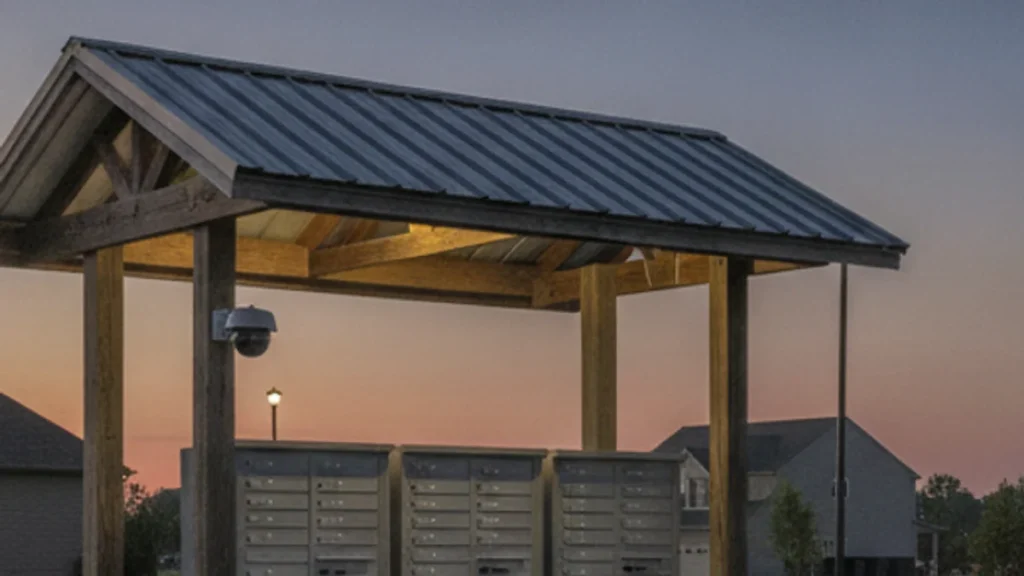
| Mail and package kiosk | Package theft, mail tampering | Fixed on the kiosk face | Start here | Keep adjacent unit doors and windows out of frame |
| RV, boat, and vehicle storage lot | Theft, fuel and converter loss, no power run to it | Mobile unit; these lots rarely have conduit | Start here if incidents are here | Usually the easiest row: no residences in frame |
| Trash and recycling enclosure | Dumping by non-members, enclosure damage | Fixed on the enclosure opening | Situational | Frame the enclosure, not the path residents walk from home |
| Playground and tot lot | Vandalism, after-hours use | Fixed, at a distance | Situational | Most sensitive row. Wide, low-detail framing; ask counsel first |
| Guest parking | Permit disputes, vehicle break-ins | Fixed at the row end | Phase two | Cover the stalls, not the walkways to front doors |
| Perimeter walls and greenbelt access points | Cut-through traffic, fence damage, dumping | Mobile while a pattern is active; fixed if it persists | Situational | Aim inward, never over a wall into a neighboring yard |
Two patterns fall out of that table. Fund first the rows your incident log already points at, and expect least member objection on the rows with no home in the frame. Audio stays off on every row, for reasons in the next section. Boards weighing the same question for another kind of shared campus can compare the coverage table in our guide to church security cameras.
The privacy line, in plain language
In brief: Four things settle most of the privacy debate in a board meeting: the association controls the common area, HOA security cameras cannot reach where privacy is reasonably expected, audio is treated differently from video, and a homeowner’s own camera is a separate question with a different answer.
The association’s authority over common area. California Civil Code section 4775 provides that, unless the declaration says otherwise, “the association is responsible for repairing, replacing, and maintaining the common area.” That control and maintenance duty is the usual starting point for an association acting on its own property.
The reasonable expectation of privacy limit. Penal Code section 647(j)(1) addresses using a camera to view “the interior of a bedroom, bathroom, changing room, fitting room, dressing room, or tanning booth, or the interior of any other area in which the occupant has a reasonable expectation of privacy,” with intent to invade privacy. In practice that is a framing rule: aim so no unit interior, window, patio, or private yard is in shot, and document each field of view at commissioning.
Audio is the trap, not video. Penal Code section 632 makes it an offense to use an electronic amplifying or recording device to eavesdrop upon or record a confidential communication without the consent of all parties. California is an all-party consent state, so the safe default is to leave audio recording disabled and say so in the policy.
Signage. Adams Stirling states there is “no law requiring an association (or anyone who posts video surveillance cameras in public spaces) to post signs, give notice, or obtain prior consent to film areas where there is no reasonable expectation of privacy,” adding that signs “may help increase the cameras’ deterrent effect and reduce the likelihood of a claim that a person had a reasonable expectation of privacy.” Most boards post anyway, on transparency grounds. Guidance, not statute.
A homeowner’s own camera is a different question, and the one boards get asked most. MBK Chapman’s California fact sheet states an HOA “may require architectural approval for video surveillance devices attached to exterior walls or eaves to address aesthetics or installation methods,” but that “a blanket rule banning all security cameras would therefore be impossible for an HOA to reasonably justify and would almost certainly be struck down.” Civil Code section 4765 separately requires that a decision on a proposed physical change “be made in good faith and may not be unreasonable, arbitrary, or capricious.” Reasonable rules on placement and appearance are usually fine; a ban is a fight you are unlikely to want.
Treat that as general information, and adopt your camera policy with your association counsel and management company before the first camera is mounted.
Does monitoring create liability for the association?
In brief: This is a question for your counsel and your insurer, not for a vendor. What is worth knowing going in is that the published guidance points at a narrow set of avoidable mistakes, and they are about what the association says and does, not about the cameras themselves.
Cameras are a property tool, not a promise. MBK Chapman states that HOAs “are not required to install surveillance cameras or guarantee crime prevention,” and that the question is “whether the HOA responds reasonably to known conditions affecting the safety of common areas it controls.” That matters for how the board describes the system: wording that implies residents are being protected creates an expectation the association may not want.
Do not install dummy cameras. Adams Stirling is direct: non-working cameras “create potential liability for the association by creating an expectation among owners and visitors that the association is monitoring the common area,” and “it is better to spend money on working cameras.” The same guidance recommends a maintenance schedule so cameras that stop working are promptly repaired.
Write the footage rules down first. Adams Stirling notes that recordings qualify as association records directors may review under Corporations Code section 8334, that member access is not the same as board access, and that their status as records makes them discoverable in litigation. Its recommendation is to “adopt guidelines on how security camera data is stored, for how long, under what circumstances recordings may be viewed, and by whom,” and to consult legal counsel when security issues arise. It also notes that images are generally stored about 30 days before being overwritten.
None of that is a legal opinion about your community. Put the duty question to your association counsel and your insurance broker together, because the answer usually turns on your governing documents and your policy, not the hardware.
Fixed system, rented mobile unit, or patrol: what fits an association
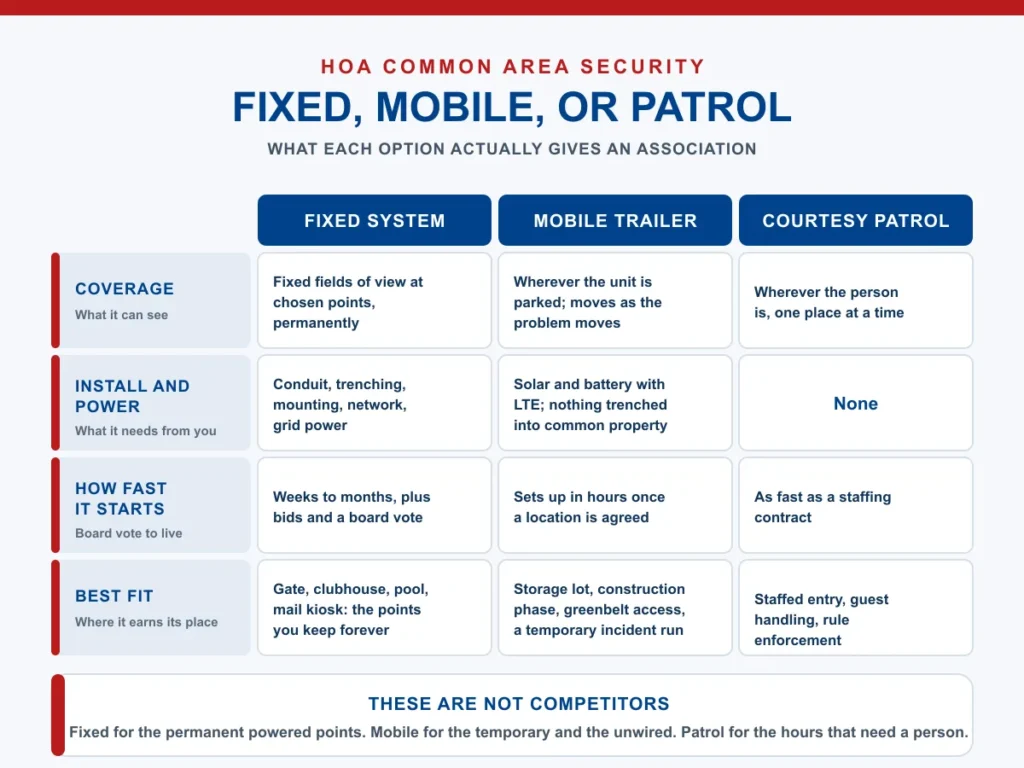
In brief: These three are not competitors, they answer different questions. Fixed cameras suit the permanent powered points a community keeps forever. A rented mobile unit suits the temporary and the unwired. A courtesy patrol or gate attendant suits anywhere a member or guest needs to deal with a person.
| Fixed system | Rented mobile unit | Courtesy patrol or gate attendant | |
|---|---|---|---|
| Coverage | Fixed fields of view at chosen points, permanently | Wherever the unit is parked; moves as the problem moves | Wherever the person is, one place at a time |
| Install and power | Conduit, trenching, mounting, network, grid power | Solar and battery with LTE; nothing trenched into common property | None |
| How fast it starts | Weeks to months, plus bids and a board vote | Sets up in hours once a location is agreed | As fast as a staffing contract |
| Who watches it | Usually nobody live; footage is reviewed after the fact | Optional live monitoring with talk-down and dispatch escalation | The person on duty |
| Cost profile | Capital cost plus ongoing maintenance and eventual replacement | Monthly operating cost for a defined period, then it leaves | Hourly labor, the most expensive way to cover full nights |
| Member privacy impact | Permanent and highly visible; needs the fullest policy | Visible and temporary; easier to explain and to end | Lowest recording footprint, highest human presence |
| Best fit | Gate, clubhouse, pool, mail kiosk: the points you keep forever | Storage lot, construction phase, greenbelt access, a temporary run of incidents | Staffed entry, guest handling, rule enforcement |
Said plainly: a rental is not a replacement for a permanent common-area system. It covers the places conduit never reached and the periods a permanent system cannot be justified for.
Not sure which column your association is in? Hawk rents and monitors mobile units and does not sell cameras, so a short call will tell you whether a rental fits your window or whether you should be pricing a permanent install instead. Talk to a security specialist.
Budgeting it: capital project or operating line item
In brief: The budget question usually decides the project, so put it in front of the board early. A permanent system is a capital item with a replacement cycle attached. A rental is an operating line the board can start and stop. Both are legitimate; they answer different needs.
As a capital project. You are buying equipment, conduit and trenching, mounting, network, and storage, and committing to maintenance and eventual replacement. That normally means reserve funding, may require a reserve study update, and depending on your governing documents may require member approval. It is the right route for the gate, clubhouse, pool gate, and mail kiosk, because those points are not going anywhere.
As an operating line item. A rented monitored unit is a monthly cost for a defined window. Nothing is trenched into common property, there is no asset to maintain or replace, and the board can end it when the reason ends. That fits the two cases boards most often face: a construction, repaving, or exterior remediation phase, and a run of incidents in one location while the board decides whether a permanent camera is warranted. When that phase leaves a building or unit standing empty for a stretch, the coverage question changes again, and our guide to vacant property security covers what an unoccupied site needs.
Hawk rents only, and monitors only the units it rents out, so we have no stake in which model your association picks. We publish no rate card because communities are not interchangeable, and quote site by site, usually the same day.
LPR at the gate: what it does and what it raises
In brief: License plate recognition reads plates at an entry point and turns them into searchable records. In California, running one puts specific written-policy obligations on the association, so the policy decision has to come before the hardware decision, not after it.
Boards ask for LPR because gate accountability, guest and vendor traffic, and incident follow-up are the complaints that never go away, and the technology is established in Northern California. The Oaklandside reported in March 2024 that Oakland’s Lakeshore Homes Association had installed eight automated license plate readers on member properties since February, with plans for three more, using cameras made by Flock Safety, which the same report described as having expanded to over 5,000 communities nationally. That reporting also documented genuine member debate about private neighborhood cameras monitoring public streets and about sharing data with police.
The obligations are concrete. California Civil Code section 1798.90.51 requires an ALPR operator to “maintain reasonable security procedures and practices” protecting ALPR information “from unauthorized access, destruction, use, modification, or disclosure,” and to implement a usage and privacy policy that is publicly available, including on a website if the operator has one. Section 1798.90.5 defines an ALPR operator broadly as “a person that operates an ALPR system.” Section 1798.90.54 lets an individual harmed by a violation bring a civil action, with liquidated damages of $2,500 among the available relief. Adams Stirling’s summary for associations is that HOAs using ALPR cameras “must safeguard the data they collect, adopt written policies, set retention limits, and log the identity and purpose of anyone who accesses the database,” that sharing with law enforcement is optional, and that the policy should restrict casual searching.
So the agenda item is the policy, not the camera: what the system is for, who may query it, how long plates are kept, what is shared with law enforcement, who signs off, and how members are told. Settle it with counsel, publish it, then buy hardware.
“Associations almost never call us about the clubhouse. They call about the boat and RV lot at the back of the property, where there is no power and no conduit and never will be, or they call because a reroofing project just put a lot of expensive material on site for four months. That is the shape of this work: a specific place, for a specific window, then we take it away.” Paul Wittner, Hawk Surveillance Systems
Frequently asked questions
Can an HOA install security cameras in common areas?
Generally yes. California HOA law firm guidance from Adams Stirling states that associations may lawfully install video surveillance cameras in common areas so long as they do not view areas where people have a reasonable expectation of privacy. The association’s control and maintenance duty under Civil Code section 4775 is the usual starting point. The board still has to adopt a written policy on placement, retention, and access with its own counsel.
Where can an HOA not point a security camera?
Anywhere a person reasonably expects privacy. In practice that means never into a unit interior, a window, a doorway, a patio, or a private yard, and never inside restrooms, locker rooms, or changing areas. Penal Code section 647(j)(1) is the provision usually cited for that limit. The workable board rule is to document each camera’s field of view at commissioning and confirm no home appears in any frame.
Can an HOA stop a homeowner from installing their own camera?
Reasonable rules yes, an outright ban very likely not. California firm MBK Chapman’s fact sheet states an HOA may require architectural approval for cameras attached to exterior walls or eaves to address aesthetics or installation methods, but that a blanket rule banning all security cameras would almost certainly be struck down. Civil Code section 4765 also requires architectural decisions to be made in good faith and not be unreasonable, arbitrary, or capricious.
Does an HOA have to post signs about security cameras?
Not as a statutory requirement, according to Adams Stirling, which states there is no law requiring an association to post signs, give notice, or obtain prior consent to film areas where there is no reasonable expectation of privacy. The same guidance notes that signs may increase the deterrent effect and reduce the likelihood of a claim that someone expected privacy. Most boards post anyway, because transparency with members costs little.
Who is allowed to view HOA security camera footage?
That is a policy the board should write before the first request arrives. Adams Stirling notes that recordings qualify as association records directors may review under Corporations Code section 8334, that member access is not the same as board access, and that recordings are discoverable in litigation. Its recommendation is to adopt guidelines covering how data is stored, for how long, under what circumstances recordings may be viewed, and by whom.
Does installing cameras make the HOA responsible for resident safety?
Ask your association counsel and your insurance broker together, because the answer turns on your governing documents and your policy. Published guidance does say HOAs are not required to install cameras or guarantee crime prevention, and that the question tends to be whether the association responds reasonably to known conditions in the common areas it controls. Two practical takeaways: avoid dummy cameras, and avoid describing the system as protecting residents.
Can an HOA rent security cameras for a construction project instead of installing them?
Yes, and that is one of the two situations rentals fit best. A rented solar surveillance trailer sets up in hours, needs no trenching or grid power on common property, runs for a defined window, and leaves when the project does, which keeps it in operating rather than reserves. The other common case is a run of incidents in one location while the board decides whether a permanent camera is warranted.
Coverage for a community project or a temporary problem
If your association has a construction or remediation phase coming, a storage lot with no power run to it, or one location producing repeat incidents, a short conversation will tell you whether a rented unit is the right answer or whether you should be pricing a permanent camera instead.
For the committee packet: how a rented surveillance trailer is configured, what 24/7 remote monitoring and response adds, and where the compact urban unit fits a tight community lot next to the full solar trailer. Our note on whether surveillance trailers are legal in California goes deeper on placement, signage, and audio. We also work with municipal and public-property clients across Northern California, including San Jose and Concord.
About the author
Noah Williams writes for the Hawk Surveillance Operations Team, which designs, deploys, and manages mobile surveillance trailers across Northern California, including San Francisco, Sacramento, San Jose, Oakland, Fresno, Stockton, Concord, and Hayward. The team operates the Flagship Solar, Compact Urban, and Heavy-Duty Industrial trailer lines, and follows the operational safety practices documented in Hawk's QHSE framework.