
Last updated: August 2026
Research checked: August 5, 2026
The church security problem is different from a commercial one
In brief: A church camera plan should support the building’s open-door purpose while quietly protecting property, clarifying access, and reassuring families, because a campus changes character between full services, small midweek programs, volunteer-led activities, and the many hours when its buildings and parking areas are empty.
An open-door culture is the point of the building. The goal is useful coverage without making the campus feel like a checkpoint. Four realities shape the plan:
- Doors and common areas are open during services and midweek programs.
- The campus is empty for much of the week, especially overnight.
- Large lots fill and clear quickly, so traffic patterns change by the hour.
- Budgets are tight, and trained staff may share responsibility with volunteers.
Concentric layers fit this campus. The building is the inner layer, with fixed cameras, locks, and check-in. The lot and perimeter are the outer layer, where height and monitoring matter. Brotherhood Mutual likewise advises churches to define objectives, infrastructure, viewers, and procedures before choosing hardware.
What actually gets taken from a church campus
In brief: A useful property-exposure list includes copper and wiring, HVAC equipment, vehicle catalytic converters, landscaping and maintenance tools, sound and AV gear, and donated goods, but a church should inventory its own campus instead of treating any national list as a prediction of what will happen locally.
Brotherhood Mutual’s claims guidance identifies vehicles, sound equipment, instruments, lighting, and catalytic converters among recurring ministry loss categories. It also advises protecting HVAC units from copper theft. These are planning categories, not a prediction.
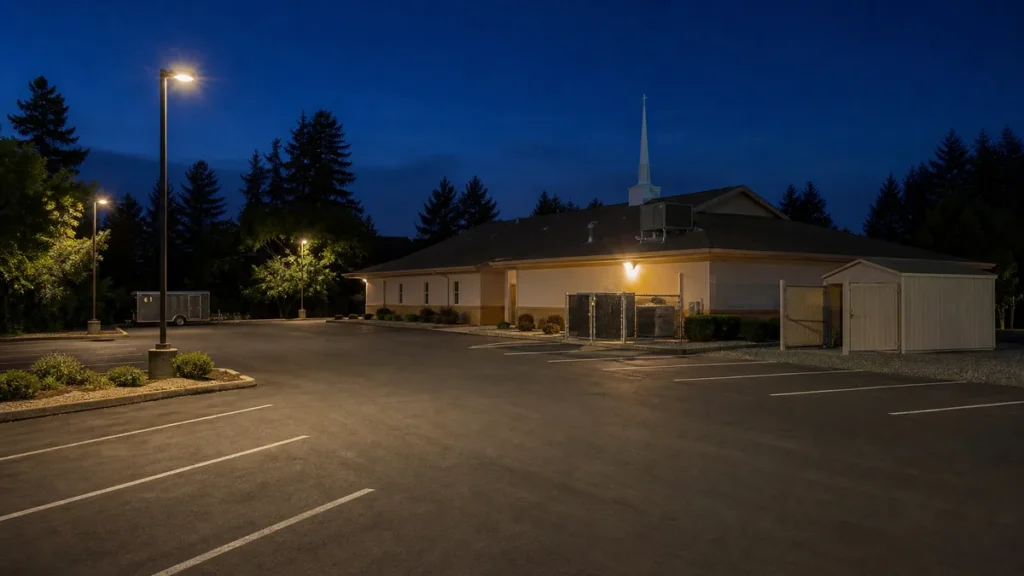
Walk the property with a simple inventory: exposed wiring and condenser coils, vehicles left overnight, sheds, landscaping trailers, portable audio gear, instruments, pantry stock, and donation storage. Note what can move quickly, sits outside the building’s camera view, or would interrupt programs if lost. See the insurer’s property-loss guidance and HVAC and copper guidance.
Where cameras belong on a church campus: a coverage priority table
In brief: Start where people and vehicles enter, where children are checked in, and where money or portable equipment is handled, then fill corridor, perimeter, and overflow-lot gaps while keeping every camera out of rooms used for privacy, personal care, confidential conversation, or changing clothes.
The Archdiocese of Los Angeles guidelines permit cameras in parking lots, entrances, lobbies, hallways, sanctuaries, counting rooms, and common areas while excluding private locations. The table turns that principle into a phased plan.
| Campus area | Why it matters | What usually fits | Priority | Privacy note |
|---|---|---|---|---|
| Parking lot and drive approaches | Shows arrivals, departures, vehicle flow, and outdoor property | Fixed cameras or a monitored mobile trailer | Start here | Frame travel lanes and shared space, not neighboring homes |
| Main entries and exits | Creates a clear record at the building boundary | Fixed cameras, with live viewing when staffed | Start here | Avoid close views into private meeting areas |
| Lobby and foyer | Covers circulation, welcome desks, and handoffs | Fixed cameras | Phase two | Use a broad common-area view |
| Hallways and classroom corridors | Connects entry footage to room access | Fixed cameras | Phase two | Cover corridors and doors, not classroom interiors |
| Childcare and children’s check-in | Documents check-in, release, and doorway activity | Fixed cameras at the desk and corridor | Start here | Keep views out of care, changing, and nursing rooms |
| Sanctuary and fellowship hall | Supports room use, property review, and crowd flow | Fixed cameras when the use case justifies them | Phase two | Use wide views and avoid confidential prayer areas |
| Offices, safe, and counting room | Protects access to records, funds, and portable assets | Fixed cameras with a limited viewer group | Start here | Cover approaches and work zones, not private counseling |
| Perimeter and outbuildings after hours | Extends visibility beyond the main building | Fixed cameras or a monitored mobile trailer | Phase two | Mask adjacent property and public areas not needed |
| Satellite or overflow lots | Adds coverage where the building system cannot reach | Monitored mobile trailer | Situational | Post notice and define the monitored boundary |
Never place cameras in bathrooms, changing areas, counseling rooms, or nursing rooms.
Fixed cameras, rented mobile units, or guards: what fits where
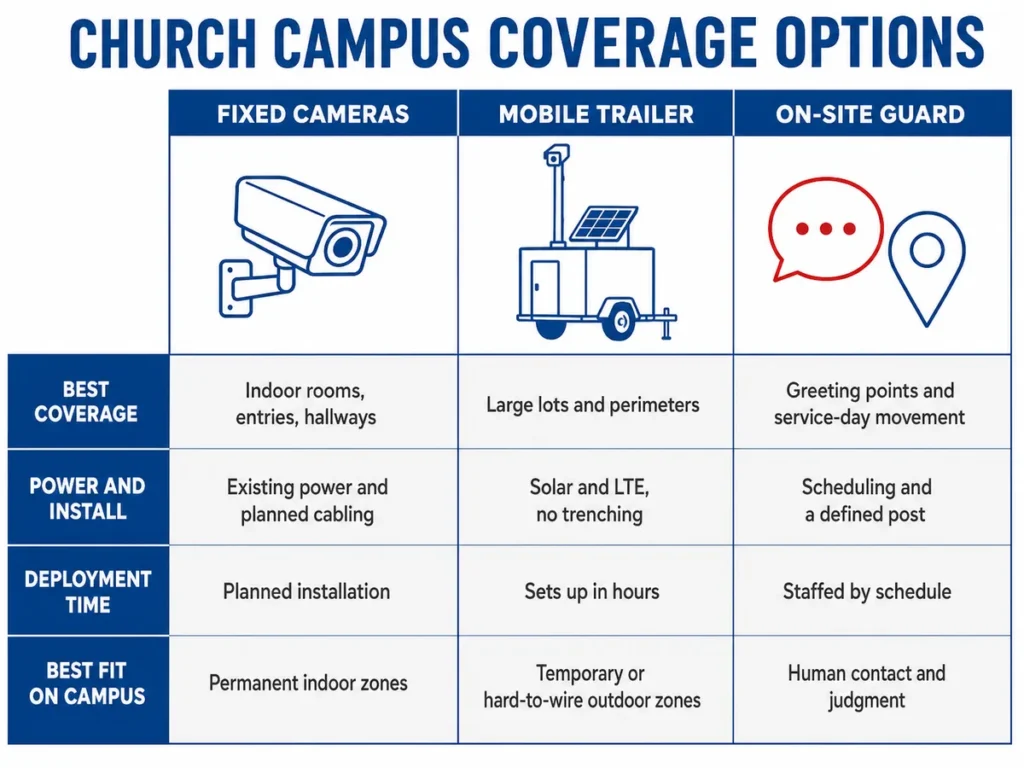
In brief: Fixed cameras usually win indoors and at permanent entries, a rented mobile unit wins in large lots or temporary outdoor phases, and guards win when greeting, wayfinding, or any other human judgment is the actual job that needs to be done.
Rhombus, Avigilon, Deep Sentinel, and Verkada offer installed cameras or monitoring. A rented trailer solves a different problem: outdoor coverage when cabling is impractical or the need will move or end.
| Dimension | Fixed cameras | Rented mobile unit | On-site guard |
|---|---|---|---|
| Coverage area | Defined rooms, doors, and corridors | Wide outdoor lots and perimeter zones | Assigned post and walking route |
| Power and cabling | Existing power plus planned cable paths | Solar and LTE options, usually no trenching | No camera cabling, but a staffed base is helpful |
| Deployment time | Survey, design, installation, and testing | Sets up in hours when access and scope are ready | Scheduling, briefing, and post orders |
| Who watches it | Staff, volunteers, vendor, or no live viewer | Hawk monitors the trailers Hawk rents when monitoring is selected | The guard observes and makes judgment calls |
| Cost profile | Capital project plus maintenance | Operating expense for the needed rental period | Recurring staffing expense |
| Best fit | Indoor spaces and fixed entries | Lots, events, projects, and vacant stretches | Human contact during services |
The honest verdict: fixed cameras for the inner layer, people for hospitality and judgment, and a mobile unit where the outer layer needs flexible height, power, or monitoring.
The four situations where a church rents instead of installs
In brief: Rental makes sense when the outdoor need is large, temporary, hard to wire, or tied to a changing project schedule, because the church can cover that outer layer for the needed months without trenching, mounting permanent fixtures, or turning a temporary condition into a capital project.
- A large or poorly lit parking lot. Pole work, conduit, and trenching may make a permanent extension impractical. A rented unit can use height, solar, and LTE to cover drive approaches or a remote lot.
- Outdoor events, festivals, and seasonal services. The viewing area changes with parking, tents, stages, and temporary entrances. A mobile position can follow the layout and leave when the calendar changes.
- A building or expansion project. Contractors, deliveries, fencing, and stored materials move through phases. Rental coverage can move with the project instead of waiting for the final fixed plan.
- A long vacant stretch. A campus between congregations, a building awaiting sale, or a summer shutdown may need months of outdoor visibility without permanent work.
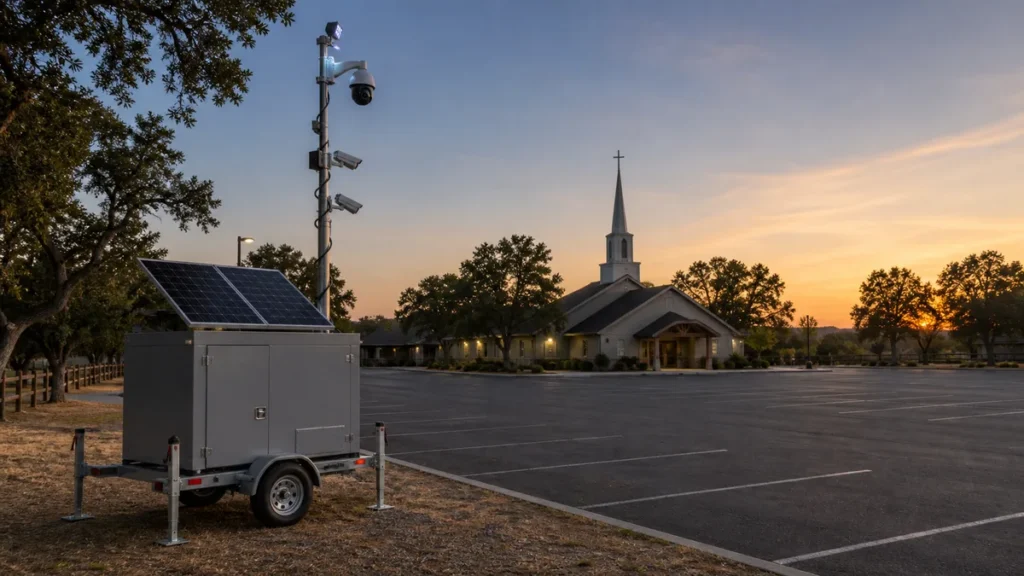
Hawk’s solar surveillance trailer and compact urban unit support solar, battery, and LTE configurations without permanent fixtures on a historic building. See Hawk’s public-facing campus work and service coverage in Sacramento and San Francisco.
Paying for it: grants churches can actually apply for
In brief: Federal and California programs can help eligible nonprofits fund approved facility improvements, but every cycle has its own deadline, forms, and cost rules, so churches should use the current FEMA and Cal OES materials rather than copying an old application or assuming a rental will qualify.
The FY 2026 FEMA Nonprofit Security Grant Program made $300 million available nationwide. A Cal OES memorandum listed California’s allocation as $28,933,441 and required an Investment Justification, vulnerability assessment, and mission statement by July 10, 2026. That state submission window is closed.
The FY 2026 federal notice expressly lists houses of worship among eligible examples and includes camera-based security systems among authorized equipment. The latest posted California State Nonprofit Security Grant Program cycle also closed. Amounts and windows vary by cycle, so monitor the Cal OES program page for the next announcement.
Grant scopes commonly center on approved, site-specific equipment and installation. A rental may sit outside an award, so read the church’s award terms and ask the program administrator before committing grant funds.
Privacy, signage, and the questions to ask before you record
In brief: A workable camera policy tells people that video is in use, excludes private rooms, treats audio as a separate legal decision, limits who can view or export footage, sets a retention period, and gives staff and volunteers one written process they can follow consistently.
- Post visible notice. Place signs at vehicle entrances and main building doors. The Archdiocese guidelines require public notification where cameras are installed.
- Keep private spaces camera-free. Bathrooms, changing areas, counseling rooms, and nursing rooms are never camera locations.
- Treat audio separately. California Penal Code 632 prohibits intentionally recording a confidential communication without the consent of all parties. Whether a communication is confidential depends on the circumstances.
- Control the footage. Name who can view, retrieve, share, or change video. Set a retention period and document preservation exceptions.
This is planning guidance, not legal advice. Confirm with your own counsel, your denomination or diocese office, and your insurer.
Frequently asked questions
In brief: The right camera count, locations, viewing model, budget, and mix of fixed and rented equipment depend on the campus map and operating calendar, but the answers below give a church board or facilities team a practical starting point for its first planning meeting.
How many security cameras does a church need?
A church needs enough cameras to cover priority views, not a number based on membership. Map each main vehicle approach, public entry, childcare check-in point, key corridor, counting or office access point, and outdoor property zone. Then remove duplicate views and test identification quality. A small building may need only a focused fixed system, while a multi-building campus needs more zones and possibly separate outdoor coverage.
Where should churches not put security cameras?
Do not place cameras in bathrooms, changing areas, counseling rooms, nursing rooms, or any space used for confidential care or conversation. Keep cameras out of classroom interiors when a corridor and doorway view can document access without recording the room. For offices and counting areas, frame the approach and relevant work zone while avoiding computer screens, documents, and neighboring private property.
Can a church record audio with its security cameras in California?
Audio should be a separate decision from video. California Penal Code 632 prohibits intentionally recording a confidential communication without the consent of all parties, and whether a conversation is confidential depends on the setting and circumstances. A sign alone may not answer every audio question. Confirm the proposed setup with your own counsel and insurer before enabling microphones, recording sound, or using two-way audio features.
How much does a church security camera system cost?
There is no responsible single price without a coverage map. Cost changes with camera count, image quality, cabling distance, network upgrades, storage, lifts or trenching, monitoring, maintenance, and whether the work touches a historic building. Compare quotes using the same locations, retention period, viewer model, and service scope. Keep fixed installation costs separate from temporary parking-lot or construction coverage so the board can compare like with like.
Are there grants that pay for church security cameras?
Yes, eligible nonprofits can apply to federal and California nonprofit security grant programs when a cycle is open. The FY 2026 federal notice includes camera-based security systems among authorized equipment and lists houses of worship as eligible examples. Deadlines, required assessments, award amounts, and allowable costs change by cycle. Read the current FEMA and Cal OES materials, and do not assume a rental is reimbursable under an award.
Do we need cameras in the parking lot if we already have cameras on the building?
Usually, if building cameras cannot identify vehicles, show drive approaches, or cover the far edges of the lot. Wall-mounted cameras may provide useful doorway context but lose detail with distance, glare, trees, parked vehicles, or poor angles. Test the actual views at arrival, departure, and overnight lighting conditions. Extend fixed coverage where practical, or use a rented mobile unit when the gap is distant or temporary.
Can a church rent security cameras instead of installing them?
Yes, for the parts of the campus that suit temporary mobile coverage. A rented surveillance trailer can fit a large or overflow parking lot, an outdoor event, a construction phase, or a long vacant stretch where trenching and permanent poles are impractical. It is usually not the right substitute for fixed indoor cameras at entries, hallways, or childcare check-in. Hawk rents trailers and monitors only the trailers Hawk rents.
Coverage for your campus lot or building project
In brief: If your fixed system already handles the building but the parking lot, overflow area, construction zone, or vacant-campus period still has a coverage gap, Hawk can scope a rented mobile unit and optional monitoring around that specific outdoor need.
Bring the campus map, dates, available power, and missing views. Then review Hawk’s surveillance trailer rental and remote monitoring options. Hawk provides rentals only and monitors only its rented trailers.
Talk to a Security Specialist. Pricing is a site-specific quote, usually same day.