

By Noah Williams
Last updated: October 2026
When a Hawk surveillance trailer loses its cellular connection, it can keep recording locally, depending on its configuration and storage, but remote viewing and alerts are affected until the connection is restored. Before deployment, ask for a site survey that checks cellular coverage at the intended trailer and mast position. Then ask which recording, connectivity, and notification arrangements your proposal includes. Do not treat local recording as confirmation that someone can still watch the site remotely during an outage. At Hawk, we offer rentals across Northern California and sales across the Western US as a Mobile Pro Systems channel partner. Confirm outage behavior for the particular unit you plan to rent or buy.
What keeps working when the signal drops
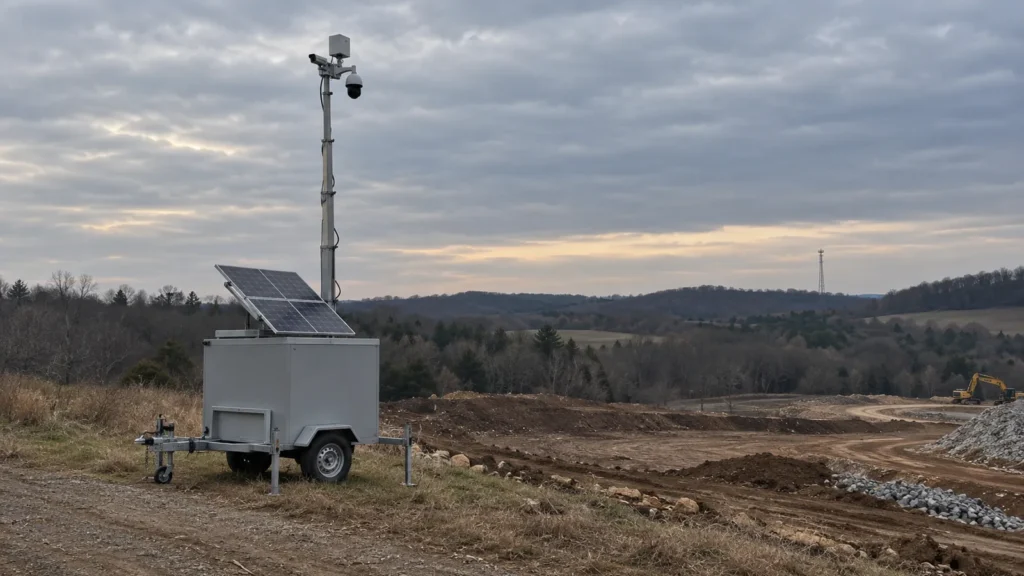
A trailer can continue recording locally during a connectivity outage, based on configuration and storage. Hawk’s solar trailer page lists local recording through an NVR or edge recorder for on-trailer retention. That supports a conditional recording capability; it does not promise that every deployed unit will preserve every moment of an outage.
For a buyer, the useful distinction is between recording on the trailer and accessing video remotely. Hawk’s published outage answer treats these separately. Ask your proposal to do the same: identify the local recording arrangement, then describe what remote users should expect when the connection is affected.
The solar surveillance trailer page describes the equipment options. It does not establish how long your selected unit retains footage or how you obtain that footage after connectivity returns. Ask for those details before relying on local recording in your site plan.
What is affected until the connection is restored
When a Hawk surveillance trailer loses its cellular connection, it can keep recording locally, depending on its configuration and storage, but remote viewing and alerts are affected until the connection is restored. The published wording is “affected,” so avoid treating every function as either fully available or completely stopped.
| Function | During an outage | Source |
|---|---|---|
| Local recording | Can continue (based on configuration and storage) | Hawk connectivity FAQ |
| Remote viewing | Affected until the connection is restored | Hawk connectivity FAQ |
| Alerts | Affected until the connection is restored | Hawk connectivity FAQ |
| Your team’s notification | Your IT or operations team will typically receive alerts or notifications | Hawk connectivity FAQ |
Source: Hawk’s live professional monitoring page, “What happens if we lose connectivity?”
For each row, request a corresponding proposal detail: the recorder and storage arrangement, remote viewing limitations, affected alerts, and the person designated to receive connectivity notifications. The word “typically” is not a guaranteed notification method or delivery time. Ask for both to be addressed in your agreement.
How to reduce the risk before deployment
Ask for cellular coverage to be tested during the site survey at the intended trailer and mast position. Hawk lists LTE/5G-ready modem options and optional dual-SIM or failover-capable configurations based on carrier coverage. Have the proposal identify the selected arrangement and its limitations before you approve the deployment.
Bring a site plan to that discussion and mark where you want the trailer positioned. Ask which carrier coverage supports the proposed configuration at that location, how the connection will be checked, and what alternatives should be considered if the result does not meet the site’s needs.
Keep the product page’s word “optional” in view. A reference to dual-SIM or failover capability does not establish what is included in your rental or purchase. Request the actual configuration in writing, including what happens when the primary connection is unavailable. Do not build an outage-free assumption into your security plan.
What to confirm in your proposal
Your proposal should answer how the selected unit records, how footage is retrieved, and who handles a connectivity problem. Use the questions below to turn the general phrase “based on configuration and storage” into details for your deployment. Ask separately about rental equipment and any Mobile Pro Systems unit you intend to purchase.
- After reconnection: Does locally recorded video upload automatically, require a retrieval request, or require someone on site? Who requests and receives it?
- Local retention: How long does the proposed recording configuration retain footage, and what storage limits apply?
- Failover: Is dual-SIM or another failover-capable configuration included, optional, or unavailable for this proposal? Which carrier coverage supports it?
- Outage notifications: Who receives them, by what method, and when? Does the monitoring partner see a device-offline status, and what response is agreed?
- Hardware support: How should your team report a connectivity issue, and how does support handle a problem related to the trailer or its hardware?
- Purchased units: Does the particular Mobile Pro Systems unit have the same outage behavior described here? Ask for its recording and connectivity details.
We can assist with troubleshooting when connectivity issues relate to the trailer or its hardware. Before deployment, ask us to clarify that support scope and the contact process for your arrangement. Keep the answers with the proposal so the site manager and IT contact can refer to the same instructions.
Monitored sites: what changes during an outage
For a site using monitoring through Hawk’s monitoring partner, the published connectivity limit still matters: remote viewing and alerts are affected until the connection is restored. Local recording capability does not confirm a live monitoring view during that period. Ask for the outage notification and response arrangements to be documented.
If you are considering 24/7 remote video monitoring, discuss connectivity alongside the monitoring service. Ask what the partner can see when the trailer is offline and who contacts your site. Those are questions for the agreement, not details to infer from a monitoring service name.
Name a primary site contact and a backup in your own outage plan. Ask how they should report a suspected connection problem and how restoration will be confirmed. Keep footage retrieval and live monitoring as separate questions throughout that discussion.
Frequently asked questions
The answers below follow Hawk’s published connectivity wording. Where that wording leaves a configuration detail open, ask for it in the proposal for your selected unit. Use these questions to check the recording arrangement, remote access, notifications, and support responsibilities before renting or buying a trailer.
Does a surveillance trailer keep recording without a cell signal?
A Hawk trailer can continue recording locally without connectivity, based on configuration and storage. The solar trailer page lists an NVR or edge recorder for on-trailer retention. Confirm the recorder and storage arrangement for the unit in your proposal. Also ask how long footage is retained and how you retrieve it after an outage; the published connectivity answer does not specify either detail.
Will I still get alerts if the trailer loses its connection?
Hawk says alerts are affected until the connection is restored. Its connectivity FAQ also says your IT or operations team will typically receive alerts or notifications. That is not a promise that every alert reaches every recipient during an outage. Ask which notifications apply to your configuration, who receives them, how they are delivered, and what action your team should take.
Can I watch live video during a cellular outage?
Hawk says remote viewing is affected until connectivity is restored. Do not assume that local recording means you can still watch live video remotely. Ask the proposal to describe remote access during a connection problem and how your team will know access has returned. Keep a separate question for obtaining locally recorded footage, because the published outage answer does not explain that process.
What is dual-SIM or failover on a surveillance trailer?
Hawk lists dual-SIM or failover-capable configurations as optional connectivity arrangements, described in your proposal based on carrier coverage. Treat those terms as a prompt to request the actual configuration. Ask which connections are included, what happens if the primary connection is lost, and what limitations apply. The product page does not establish that failover is standard on your unit or that an option prevents outages.
How do I know if a site has good enough cell coverage?
Ask for a coverage check at the intended trailer and mast position before agreeing to the configuration. Request the results and the proposed connectivity arrangement in writing. Hawk’s product page ties optional dual-SIM or failover-capable configurations to carrier coverage, but it does not publish a universal acceptance threshold. Ask what the check establishes for your intended recording, remote viewing, and monitoring arrangement.
What should I ask about connectivity before renting or buying?
Ask about local recording, retention, footage retrieval, failover, outage notifications, and hardware-related support before renting or buying. Have each answer tied to the specific unit and service arrangement in your proposal. For a purchased Mobile Pro Systems unit, separately confirm its behavior during and after a lost connection. Do not carry an answer about a rental configuration over to a purchase without that confirmation.
Planning a deployment where coverage is weak?
Start with the site location, intended trailer position, and the recording and monitoring arrangements you need. Ask us to address coverage, local storage, optional connectivity configurations, and outage contacts in the proposal. Hawk offers rentals across Northern California and sales across the Western US as a Mobile Pro Systems channel partner.
Call (530) 593-4295, email sales@hawksurveillancesystem.com, or contact Hawk to discuss your site.