

By Noah Williams
Last updated: October 2026
If your organization already runs a security operations center or video platform, a rented Hawk surveillance trailer can stream standard IP camera feeds into it, so your own team watches the video and Hawk handles the trailer.
This fits organizations with people assigned to review video, assess alarms, and arrange response. Compatibility with your video management system, or VMS, is confirmed during scoping. Before handoff, agree on network access, stream settings, retention, and who acts when a feed drops. Self-monitoring does not include outside operators watching cameras, issuing talk-down warnings, or dispatching help. We provide mobile surveillance trailer rental in Northern California, with responsibilities defined in your proposal.
What “self-monitored” means for a rented trailer
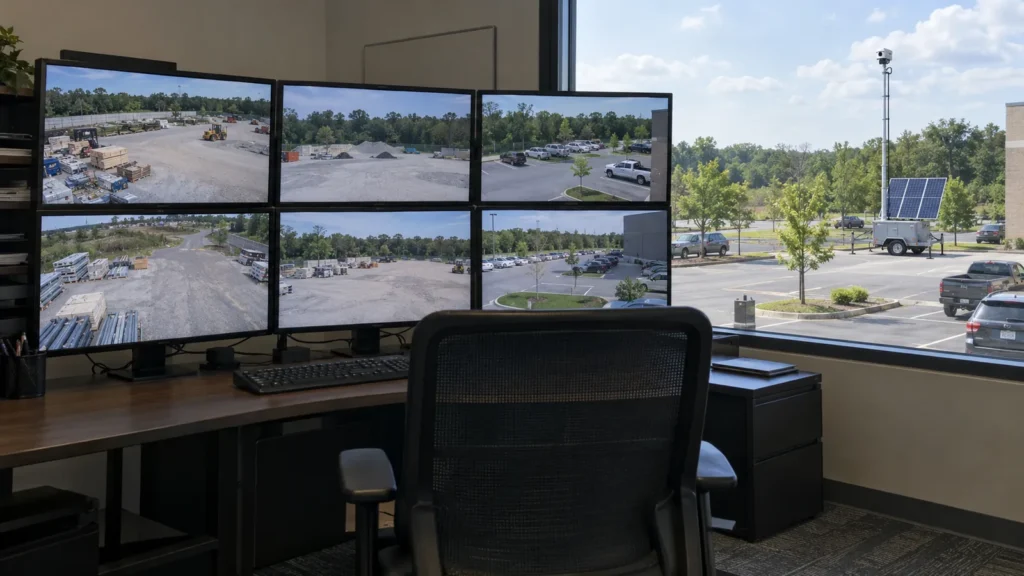
A self monitored surveillance trailer supplies camera feeds for your people to watch in your existing system. Your security operations center, or SOC, keeps responsibility for reviewing activity and responding. The rental extends your camera coverage while your staff continues to manage monitoring and incidents.
Our self-monitored trailer option supports integrating rented trailers into an existing VMS or cloud platform. It suits teams already running a monitoring room, guard force, or video platform. Before selecting it, identify the people who will watch the feeds during each required coverage window.
Who does what
If your organization already runs a security operations center or video platform, a rented Hawk surveillance trailer can stream standard IP camera feeds into it, so your own team watches the video and Hawk handles the trailer. Use this division to assign owners before deployment.
| Task | Hawk | Your team | Source |
|---|---|---|---|
| Trailer configuration and connection handoff | Configure cameras, mast, and basic trailer network settings; provide connection details. | Configure the receiving platform, permissions, and internal alert rules. | Configuration FAQ |
| Live viewing and alarm review | Not included in self-monitoring. | Watch feeds and review alerts and events. | Responsibilities; exclusions |
| Talk-down | No external voice-down team included. | Issue warnings if supported, or contract separately. | Responsibilities; exclusions |
| Dispatch | No external dispatch included. | Arrange response, or contract separately. | Responsibilities; exclusions |
| Retention | Confirm the proposed recording configuration. | Set storage duration, access rules, and incident procedures. | Responsibilities; connectivity FAQ |
| Connectivity outages | Can assist with troubleshooting trailer-related connectivity issues. | Confirm notification recipients and outage procedures; local recording depends on configuration and storage. | Connectivity FAQ |
Source: Hawk’s self-monitored trailer responsibilities, exclusions, and FAQs. Confirm configuration and outage arrangements in your proposal.
We configure the trailer side, provide connection details, and support handoff testing so streams load in your system. Your IT and security leads should review that handoff together. A working picture is one check; assigned monitoring, response, and recording responsibilities are separate checks.
What your IT team should have ready
Prepare the network rules, expected video load, and access policies your IT team needs to receive trailer feeds. Surveillance trailer VMS integration is scoped around your environment. Hawk describes support for common video management systems and cloud platforms accepting standard IP camera streams, including RTSP/ONVIF-style connections.
- IP ranges and firewall rules: Bring requirements for inbound and outbound video traffic.
- Bandwidth expectations: Discuss each camera and the whole trailer, based on the proposed resolution and frame rates.
- Security policies: Share requirements for encryption, VPNs, and remote access.
- Platform configuration: Assign someone to user permissions and internal alerting rules.
Ask for a handoff check inside the platform your operators will use. Confirm that each intended view loads and that your team understands the connection details. Standard stream support is a starting point for scoping, not a promise that every platform or feature is compatible.
What self-monitoring does not include
Self-monitoring does not include outside live operators watching your feeds, issuing talk-down warnings, or handling dispatch by default. Your team handles incidents, and talk-down or dispatch must be contracted separately. Put those boundaries in the proposal so the rental’s camera connection is not mistaken for a staffed response service.
If you need an outside monitoring arrangement, review 24/7 remote video monitoring, monitored through our monitoring partner. Confirm the coverage window and response scope. Do not assume selecting a trailer also selects someone to review its alarms.
When partner monitoring fits better
Partner monitoring is worth considering when your organization cannot assign people to watch feeds and handle alerts during the required periods. Sites monitored through our monitoring partner use a separately scoped service. Discuss the staffing gap and response needs before deciding that your existing video platform is enough.
- No in-house team after hours: Request coverage for the periods your staff cannot cover.
- No video platform: Discuss a monitored arrangement before planning an internal stream handoff.
- Need for live response: Confirm who reviews activity, issues supported warnings, and escalates incidents.
For placement planning alongside that decision, see our guides to industrial plant perimeter security and warehouse perimeter security.
What to confirm in your proposal
Your proposal should connect the equipment configuration to named operating responsibilities. Ask how the platform receives video, what bandwidth is expected, who receives outage notifications, and how recordings are retained. Resolve these items with IT and security before treating the trailer as part of your normal monitoring workflow.
- Which platform will receive the streams, and how will compatibility and stream loading be checked?
- What resolution, frame rates, and bandwidth expectations apply per camera and per trailer?
- Who receives outage notifications, and what should that person do?
- What local recording is configured, and who sets retention and access rules?
- Who watches each coverage window, reviews alarms, and arranges response?
Record the answers in the handoff notes. Request clarification wherever an operational duty has no named owner.
Frequently asked questions
These answers describe the self-monitored rental model and the decisions to settle during scoping. Use them with your IT and security leads when reviewing the proposal. Compatibility, recording settings, monitoring coverage, and response duties need to be clear for the specific site and platform you intend to use.
What is a self-monitored surveillance trailer?
A self-monitored surveillance trailer is a mobile camera setup whose video is watched by your own team. Hawk supplies and configures the trailer side, while your organization handles live viewing, alarm review, and response. It is intended for organizations with an existing SOC, guard force, or monitoring platform. Before renting, assign the people responsible for watching feeds and acting on incidents during each required coverage period.
Can a rented surveillance trailer connect to our existing VMS?
A rented trailer can connect to common video management systems that accept standard IP camera streams, subject to compatibility confirmation during scoping. Hawk describes RTSP/ONVIF-style connections and coordinates configuration with your IT or SOC team. Bring your platform details and receiving requirements to that discussion. Ask to check the intended feeds in your actual system before handoff, rather than assuming every camera feature will transfer.
What does our IT team need to prepare?
Your IT team should prepare IP ranges, firewall rules, bandwidth expectations, and security policies for the proposed video connection. Discuss bandwidth per camera and per trailer using the planned resolution and frame rates. Share encryption, VPN, and remote-access requirements. Your team typically configures the receiving VMS or cloud platform, user permissions, and internal alerts, while Hawk provides the trailer-side configuration and connection details for handoff.
Does self-monitoring include live operators or talk-down?
Self-monitoring does not include outside live operators or an external team issuing talk-down warnings. Your people watch the cameras and manage incidents. Talk-down and dispatch must be contracted separately if you want those services provided externally. If your team will issue warnings itself, confirm that the proposed configuration supports them. Put the monitoring window, response duties, and any separate service arrangement in writing before deployment.
Can we switch to partner monitoring later?
Yes, Hawk’s self-monitored service page says clients can later add managed monitoring for selected sites or hours. That monitoring is provided through our monitoring partner. You can discuss keeping some trailers self-monitored while adding monitoring to others as staffing or site needs change. Confirm the revised coverage window, response procedures, and handoff responsibilities in your agreement before treating the new arrangement as active coverage.
What happens to the video stream if the cellular connection drops?
Losing connectivity affects remote viewing and alerts until the connection is restored. Local recording can continue depending on the trailer’s configuration and storage; it is not an unconditional recording guarantee. Before deployment, confirm what is recorded locally and who receives outage notifications. Hawk can assist with troubleshooting connectivity problems related to the trailer or its hardware. Your team should also agree on what to do while remote access is unavailable.
Planning to stream a trailer into your own system?
Bring us your Northern California site location, video platform details, and required monitoring coverage. We can discuss the trailer configuration and connection handoff, while your IT and security leads identify who will watch, review alarms, and respond. Use the responsibility table to prepare that conversation.
Call (530) 593-4295, email sales@hawksurveillancesystem.com, or contact Hawk to discuss your rental.